Writing code has changed a lot in the last few years. Developers are no longer using AI just to autocomplete lines of code. Today’s large language models can generate functions, explain complex logic, fix bugs, write tests, and even help build entire applications.
But not every LLM performs the same. Some models are better at reasoning through complex programming problems, while others are faster, cheaper, or work better with specific programming languages. Choosing the right model can save hours of development time and improve code quality.
To help you find the best option, we’ve compared the 10 best LLMs for coding based on coding accuracy, reasoning ability, supported programming languages, context window, speed, integrations, pricing, and developer experience. Whether you’re a beginner, a professional developer, or part of an enterprise engineering team, this guide will help you choose the right AI coding model.
Keep reading to compare the leading coding LLMs and find the one that fits your workflow, development stack, and budget.
What are LLMs for Coding?
LLMs for coding are large language models trained to understand, generate, explain, debug, and optimize programming code across multiple languages and development frameworks.
They help developers write code faster, solve programming problems, generate documentation, review pull requests, create tests, and automate repetitive coding tasks.
Many modern coding LLMs also support long context windows, tool calling, code execution, and integration with IDEs and developer platforms.
Key Takeaways
- Generate code in multiple programming languages.
- Debug and optimize existing code.
- Explain complex programming concepts.
- Create unit tests and documentation.
- Assist with code reviews.
- Improve developer productivity.
Features of LLMs for Coding
Most coding-focused LLMs include advanced capabilities designed to support software development workflows.
1. Code Generation
Generate code snippets, functions, classes, APIs, and complete applications from natural language prompts.
2. Code Debugging
Identify bugs, explain errors, and recommend fixes for existing code.
3. Multi-Language Support
Support popular languages such as Python, JavaScript, TypeScript, Java, C++, Go, Rust, PHP, SQL, and more.
4. Code Refactoring
Improve readability, performance, and maintainability without changing functionality.
5. Unit Test Generation
Automatically create unit tests and testing scenarios for your code.
6. Documentation Assistance
Generate API documentation, inline comments, README files, and technical documentation.
7. Long Context Windows
Understand large codebases and maintain context across multiple files.
8. IDE Integrations
Work with development environments such as VS Code, JetBrains IDEs, Cursor, and Windsurf.
9. Tool Calling
Connect with external tools, APIs, databases, and developer workflows.
10. Reasoning Capabilities
Solve complex programming challenges using step-by-step reasoning.
Benefits of LLMs for Coding
Coding LLMs help developers write better software while reducing repetitive work.
1. Increase Development Speed
Generate boilerplate code, reusable functions, and project templates within seconds.
2. Reduce Debugging Time
Identify programming errors and suggest fixes before deployment.
3. Improve Code Quality
Receive recommendations for cleaner, more maintainable, and more efficient code.
4. Learn Faster
Developers can understand unfamiliar frameworks, libraries, and algorithms through AI explanations.
5. Automate Documentation
Generate technical documentation and code comments automatically.
6. Support Multiple Languages
Work across different programming languages without switching tools.
7. Simplify Code Reviews
Review pull requests and identify potential issues before merging code.
8. Accelerate Prototyping
Build proof-of-concept applications much faster than traditional development.
9. Improve Team Productivity
Developers spend less time on repetitive coding tasks and more time solving business problems.
10. Scale AI Development
Modern LLMs integrate with developer tools, CI/CD pipelines, and enterprise AI infrastructure.
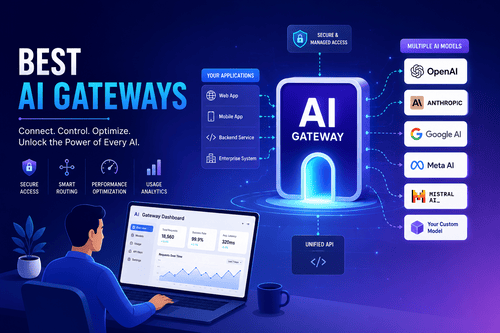
Related: Development teams often combine coding models with the Best AI Gateways to manage multiple LLM providers and the Best MLOps Platforms and Tools to deploy and monitor AI-powered applications.
Who Uses LLMs for Coding?
Coding LLMs are useful for anyone building, maintaining, or learning software.
1. Software Developers
Developers generate code, debug applications, and automate repetitive programming tasks.
2. AI Engineers
AI teams build machine learning applications, AI agents, and LLM-powered products.
3. DevOps Engineers
Infrastructure teams automate deployment scripts, configuration files, and cloud workflows.
4. Data Scientists
Data professionals write Python, SQL, and machine learning code more efficiently.
5. Students
Programming students learn coding concepts, understand algorithms, and complete assignments faster.
6. Startup Teams
Small engineering teams build products more quickly with AI-assisted development.
7. Enterprise Engineering Teams
Large organizations improve developer productivity across multiple software projects.
8. Freelance Developers
Independent developers complete client projects faster while maintaining code quality.
9. QA Engineers
Testing teams generate unit tests, integration tests, and automated testing scripts.
10. Technical Writers
Documentation teams create API documentation and developer guides with AI assistance.
How We Tested These LLMs for Coding
To create this list, we evaluated the leading coding LLMs based on coding accuracy, reasoning ability, supported programming languages, context window, speed, tool integration, pricing, and developer feedback. Our goal was to identify models that perform well for individual developers, startups, and enterprise engineering teams.
We compared every model using the following criteria:
| Evaluation Criteria | Why It Matters |
|---|---|
| Coding Accuracy | Produces reliable and correct code with fewer errors. |
| Programming Language Support | Supports modern programming languages and frameworks. |
| Reasoning Ability | Solves complex coding and debugging tasks effectively. |
| Context Window | Handles large codebases and long conversations. |
| Speed | Faster responses improve developer productivity. |
| IDE Integration | Works well with popular coding environments. |
| Tool Calling | Connects with external tools, APIs, and developer workflows. |
| Documentation Quality | Generates clear explanations and technical documentation. |
| Community Feedback | Real-world developer experiences help validate performance. |
| Pricing | Offers good value for individuals and enterprises. |
Also read: Organizations building AI-powered development workflows often use the Best Generative AI Infrastructure Software and Best Data Science and Machine Learning Platforms to support large-scale AI applications.
Quick Comparison of the Best LLMs for Coding
| LLM | Best For | Reasoning | Context Window | API Available |
|---|---|---|---|---|
| Claude 4 Opus | Complex coding | ⭐⭐⭐⭐⭐ | Very Large | ✅ |
| Claude 4 Sonnet | Everyday development | ⭐⭐⭐⭐⭐ | Very Large | ✅ |
| GPT-5 | General-purpose coding | ⭐⭐⭐⭐⭐ | Large | ✅ |
| Gemini 2.5 Pro | Long codebases | ⭐⭐⭐⭐⭐ | Extremely Large | ✅ |
| DeepSeek R1 | Open reasoning | ⭐⭐⭐⭐☆ | Large | ✅ |
| Qwen 3 Coder | Open-source coding | ⭐⭐⭐⭐☆ | Large | ✅ |
| Codestral | Code generation | ⭐⭐⭐⭐☆ | Large | ✅ |
| Llama 4 Maverick | Self-hosted AI | ⭐⭐⭐⭐☆ | Large | ✅ |
| Grok 4 | Fast coding assistance | ⭐⭐⭐⭐☆ | Large | ✅ |
| Devstral | Developer workflows | ⭐⭐⭐⭐☆ | Large | ✅ |
10 Best LLMs for Coding & Software Development in 2026
1. Claude 4 Opus
Best for: Complex software engineering and advanced coding tasks
Claude 4 Opus is one of the strongest coding models available today. It excels at understanding large codebases, solving difficult programming problems, debugging applications, and generating high-quality code across multiple languages.
Key Features
- Advanced code generation
- Large context window
- Strong reasoning
- Code debugging
- Code refactoring
- Documentation generation
- Tool use support
Pros
- Excellent coding accuracy
- Handles large projects well
- Strong reasoning capabilities
- Produces clean, readable code
Cons
- Premium pricing
- Response time can be slower for complex prompts
Pricing: Paid API and subscription plans
2. Claude 4 Sonnet
Best for: Everyday software development
Claude 4 Sonnet balances speed, reasoning, and cost, making it an excellent choice for daily coding tasks, debugging, code reviews, and documentation.
Key Features
- AI code assistant
- Bug detection
- Unit test generation
- Long context support
- Documentation creation
- API access
- IDE compatibility
Pros
- Fast responses
- Excellent value
- High coding quality
- Great for daily development
Cons
- Slightly less capable than Opus on highly complex tasks
- Premium features require subscription
Pricing: Free tier with paid plans
3. GPT-5
Best for: Full-stack development
GPT-5 is a versatile coding model capable of generating code, explaining algorithms, debugging applications, creating documentation, and assisting across the software development lifecycle.
Key Features
- Code generation
- Code explanation
- Multi-language support
- Function calling
- API integration
- Code review
- Technical writing
Pros
- Excellent reasoning
- Strong language support
- Reliable code generation
- Large developer ecosystem
Cons
- Premium API usage costs
- May require prompt refinement for complex projects
Pricing: Free and paid plans with API pricing
4. Gemini 2.5 Pro
Best for: Large codebases and long-context programming
Gemini 2.5 Pro is designed to work with large repositories and complex development projects. Its massive context window allows developers to analyze multiple files simultaneously.
Key Features
- Large context window
- Code generation
- Repository understanding
- AI reasoning
- API access
- Tool integrations
- Multi-language support
Pros
- Excellent long-context performance
- Strong reasoning
- Handles enterprise projects well
- Good integration with Google ecosystem
Cons
- Best experience within Google ecosystem
- Premium usage for higher limits
Pricing: Free tier with usage-based plans
5. DeepSeek R1
Best for: Open reasoning and affordable coding
DeepSeek R1 has become a popular choice among developers because of its strong reasoning capabilities, competitive coding performance, and lower operating costs.
Key Features
- Code generation
- AI reasoning
- Mathematical problem solving
- Code debugging
- Multi-language support
- API access
- Open deployment options
Pros
- Excellent value
- Strong reasoning
- Good coding performance
- Lower inference costs
Cons
- Enterprise ecosystem is still growing
- Some advanced integrations are limited
Pricing: Free and API-based pricing
6. Qwen 3 Coder
Best for: Open-source code generation
Qwen 3 Coder is a coding-focused large language model designed to help developers write, debug, and optimize code across multiple programming languages. It is a strong choice for teams that prefer open models.
Key Features
- AI code generation
- Code completion
- Bug detection
- Multi-language support
- Long context window
- API access
- Self-hosting options
Pros
- Strong coding performance
- Open model flexibility
- Good multilingual support
- Cost-effective deployment
Cons
- Requires technical expertise for self-hosting
- Smaller ecosystem than proprietary models
Pricing: Open source with hosted API options
7. Codestral
Best for: AI-assisted programming
Codestral is a code generation model built for software development. It performs well on code completion, refactoring, documentation, and programming assistance across multiple languages.
Key Features
- Code generation
- Code completion
- Documentation generation
- Bug fixing
- API integration
- Function generation
- IDE compatibility
Pros
- Fast code generation
- Excellent developer experience
- Strong programming support
- Easy integration
Cons
- Smaller community compared to larger LLMs
- Premium API usage
Pricing: API-based pricing
8. Llama 4 Maverick
Best for: Self-hosted enterprise AI
Llama 4 Maverick is designed for organizations that want greater control over AI deployments while maintaining strong coding capabilities and enterprise scalability.
Key Features
- Open-weight model
- Code generation
- Long context support
- Self-hosting
- AI reasoning
- Multi-language programming
- Enterprise deployment
Pros
- Flexible deployment
- Enterprise control
- Strong open ecosystem
- Good coding capabilities
Cons
- Requires infrastructure for deployment
- Performance depends on implementation
Pricing: Open-weight model with infrastructure costs
9. Grok 4
Best for: Fast coding assistance
Grok 4 offers strong reasoning and coding performance for developers who need quick answers, code generation, debugging, and software engineering support.
Key Features
- AI coding assistant
- Code debugging
- Multi-language support
- Long-context reasoning
- API access
- Documentation generation
- Code explanation
Pros
- Fast responses
- Strong reasoning
- Good coding quality
- Continually improving capabilities
Cons
- Enterprise tooling is still expanding
- Some advanced developer features are evolving
Pricing: Subscription and API pricing
10. Devstral
Best for: Developer workflows
Devstral is built specifically for software engineering tasks, helping developers generate code, automate repetitive programming work, review code, and improve productivity.
Key Features
- AI code generation
- Code review
- Debugging assistance
- Documentation
- Workflow automation
- API support
- IDE integrations
Pros
- Designed for developers
- Easy workflow integration
- Good code quality
- Strong productivity features
Cons
- Newer platform with a smaller ecosystem
- Premium plans unlock advanced features
Pricing: Subscription-based
Related: Teams building AI-powered development workflows can also explore the Best AI Agents for Business Operations to automate engineering tasks and the Best Generative AI Software and Tools to accelerate software development.
Alternatives to LLMs for Coding
LLMs for coding are powerful, but they’re not the only tools developers use to improve productivity.
| Alternative | Best For |
|---|---|
| AI Coding Assistants | Real-time code completion inside IDEs |
| IDE Extensions | AI-powered programming within VS Code and JetBrains |
| Static Code Analysis Tools | Detecting bugs and improving code quality |
| Pair Programming Tools | Collaborative software development |
| Low-Code Platforms | Building applications with minimal coding |
| API Testing Tools | Testing and debugging APIs |
| DevOps Automation Tools | CI/CD and infrastructure automation |
Software Related to LLMs for Coding
Coding LLMs work alongside many developer and AI tools.
Popular related software includes:
- AI Coding Assistants
- Integrated Development Environments (IDEs)
- Version Control Platforms
- API Management Tools
- MLOps Platforms
- AI Gateways
- CI/CD Platforms
- Cloud Development Platforms
- DevOps Automation Tools
- AI Observability Platforms
Using these tools together helps developers build, test, deploy, and maintain software more efficiently.
Challenges with LLMs for Coding
Although coding LLMs can significantly improve productivity, developers should understand their limitations.
1. Incorrect Code Generation
AI can occasionally generate code that contains logical errors or security vulnerabilities.
2. Outdated Knowledge
Some models may not include the latest frameworks, libraries, or API updates unless connected to external tools.
3. Hallucinations
LLMs sometimes generate incorrect functions, package names, or API calls that don’t actually exist.
4. Security Risks
Developers should avoid exposing sensitive credentials, API keys, or confidential source code when using cloud-based models.
5. Performance Optimization
Generated code often requires manual review and optimization before production deployment.
6. Large Project Complexity
Very large enterprise applications may still require careful architectural decisions from experienced developers.
7. API Costs
Heavy usage of premium coding models can increase operational expenses over time.
Which Companies Should Use LLMs for Coding?
Quick Answer: LLMs for coding are ideal for organizations that build software, automate development workflows, or want to improve engineering productivity. They help developers write code faster, reduce repetitive work, and speed up software delivery.
Here are the organizations that benefit the most.
1. SaaS Companies
Software companies use coding LLMs to accelerate feature development, improve code quality, and reduce development time.
2. AI Startups
Startups build AI products faster by using LLMs for coding, debugging, documentation, and rapid prototyping.
3. Enterprise Software Companies
Large engineering teams use coding models to assist with code reviews, testing, and maintaining large codebases.
4. IT Consulting Firms
Consulting companies increase developer productivity and deliver projects more efficiently.
5. Ecommerce Businesses
Retail technology teams automate backend development, integrations, and customer-facing applications.
6. Financial Institutions
Banks and fintech companies use coding LLMs to support internal software development while improving engineering efficiency.
7. Healthcare Technology Companies
Healthcare software providers speed up application development while maintaining high coding standards.
8. Educational Institutions
Universities and coding bootcamps use LLMs to teach programming, explain algorithms, and assist students with coding exercises.
9. Freelance Developers
Independent developers complete projects faster by using AI for coding, debugging, and documentation.
10. Government and Public Sector Organizations
Public sector IT teams use coding LLMs to modernize legacy applications and improve software development workflows.
How to Choose the Best LLM for Coding
Choosing the right coding LLM depends on your programming languages, project complexity, development environment, and budget.
1. Evaluate Coding Accuracy
Choose models that consistently generate reliable, maintainable, and secure code.
2. Check Programming Language Support
Make sure the model performs well with the languages and frameworks your team uses most.
3. Compare Reasoning Ability
Complex debugging, architecture planning, and algorithm design require strong reasoning capabilities.
4. Consider Context Window
Large context windows allow models to understand multiple files and larger codebases.
5. Review IDE Integrations
Support for Visual Studio Code, JetBrains IDEs, Cursor, Windsurf, and developer tools improves productivity.
6. Compare API and Tool Support
Look for models that support function calling, tool use, MCP compatibility, and workflow automation.
7. Prioritize Security
Enterprise teams should evaluate data privacy, access controls, compliance certifications, and deployment options.
8. Compare Pricing
Review subscription costs, API pricing, usage limits, and enterprise licensing before choosing a model.
LLM Trends for Coding in 2026
Coding LLMs continue to improve rapidly as AI becomes a core part of software development.
1. Better Software Engineering Reasoning
Modern models solve increasingly complex programming tasks instead of only generating simple code snippets.
2. Larger Context Windows
LLMs can now analyze entire repositories, making them more useful for enterprise development.
3. AI Pair Programming
Developers increasingly work alongside AI throughout the software development lifecycle.
4. Better Tool Integration
Coding models now connect with terminals, databases, Git repositories, CI/CD pipelines, and developer tools.
5. Multi-Agent Development
AI agents are beginning to collaborate on planning, coding, testing, reviewing, and documenting software projects.
6. More Open Models
Open-source coding models continue improving, giving organizations greater deployment flexibility.
7. Enterprise AI Governance
Businesses are placing more emphasis on secure AI development, access controls, and compliance.
Common LLM Coding Problems (and Fixes)
| Problem | Solution |
|---|---|
| Incorrect code generation | Test generated code thoroughly and review it before production use. |
| Hallucinated APIs or functions | Verify API documentation and package references before implementation. |
| Outdated framework knowledge | Supplement the model with current documentation or retrieval tools. |
| Security vulnerabilities | Review generated code for authentication, validation, and security best practices. |
| High API costs | Choose cost-effective models for routine tasks and reserve premium models for complex problems. |
| Limited repository understanding | Use models with larger context windows or repository-aware tools. |
| Slow responses | Optimize prompts and use smaller models for simple coding tasks. |
| Privacy concerns | Use enterprise deployments or self-hosted models when handling sensitive source code. |
FAQs About LLMs for Coding
What is an LLM for coding?
An LLM for coding is a large language model designed to generate, explain, debug, review, and optimize programming code using natural language prompts.
Which LLM is best for coding?
The best model depends on your requirements. Claude 4 Opus is excellent for complex software engineering, Claude 4 Sonnet offers an outstanding balance of performance and cost, GPT-5 is a strong all-purpose coding assistant, while Gemini 2.5 Pro performs exceptionally well on large codebases.
Can LLMs write production-ready code?
Yes, but developers should always review, test, and validate AI-generated code before deploying it to production.
Which programming languages do coding LLMs support?
Most leading models support Python, JavaScript, TypeScript, Java, C++, C#, Go, Rust, PHP, SQL, Kotlin, Swift, Ruby, and many other programming languages.
Are coding LLMs suitable for beginners?
Yes. They help beginners understand programming concepts, explain errors, generate examples, and learn new frameworks more quickly.
Can companies use coding LLMs securely?
Yes. Many enterprise providers offer security controls, private deployments, audit logs, and compliance features to protect source code and sensitive data.
Are there open-source LLMs for coding?
Yes. Models such as Qwen 3 Coder, Llama 4 Maverick, DeepSeek R1, and Codestral provide open or open-weight alternatives for developers.
How do I choose the right coding LLM?
Compare coding accuracy, reasoning ability, context window, programming language support, IDE integrations, API availability, pricing, and security before selecting a model.
Final Verdict: Which LLM for Coding Should You Choose?
The best LLM for coding depends on the complexity of your projects, your preferred development tools, and your team’s workflow.
If you’re looking for the strongest overall coding model, Claude 4 Opus is an excellent choice. It delivers outstanding reasoning, code generation, debugging, and repository understanding, making it ideal for complex software engineering tasks. For most developers, Claude 4 Sonnet offers one of the best balances between performance, speed, and cost for everyday programming.
If you need a versatile AI assistant, GPT-5 is a great option for full-stack development, documentation, and problem-solving across multiple programming languages. Teams working with very large codebases should consider Gemini 2.5 Pro, thanks to its extensive context window and strong repository-level understanding.
Developers looking for open or self-hosted alternatives can choose DeepSeek R1, Qwen 3 Coder, Codestral, or Llama 4 Maverick, while Grok 4 and Devstral are solid options for teams seeking fast coding assistance and workflow automation.
Before selecting a model, compare coding accuracy, reasoning capabilities, supported languages, context size, IDE integrations, API access, security features, and pricing. Testing several models with your own projects is the best way to determine which one fits your development workflow.
AI-assisted coding is becoming a standard part of modern software development. The right LLM can help developers write cleaner code, reduce debugging time, automate repetitive tasks, and deliver software faster without replacing human expertise.
Expand your AI development stack: You may also find these guides useful:
- Best Data Science and Machine Learning Platforms for developing AI solutions.
- Best Deep Learning Software for training advanced machine learning models.
- Best AI Chatbots Software for building conversational applications.
- Best AI Writing Tools for creating technical documentation and developer content.
- Best Synthetic Data Tools for generating training datasets.
- Best Predictive Analytics Tools and Software for analyzing engineering and business data.
- Best Text Analysis Software for processing developer documentation and user feedback.
Key Takeaway
For most developers, Claude 4 Sonnet is the best overall LLM for coding because it delivers an excellent balance of coding accuracy, reasoning, speed, and cost. If you’re working on complex software engineering projects, Claude 4 Opus provides the highest level of performance. GPT-5 is a versatile option for full-stack development, while Gemini 2.5 Pro excels at understanding large codebases. Developers looking for open or self-hosted models should consider DeepSeek R1, Qwen 3 Coder, or Llama 4 Maverick. The right coding LLM can significantly improve productivity, reduce repetitive work, and help teams build better software faster.