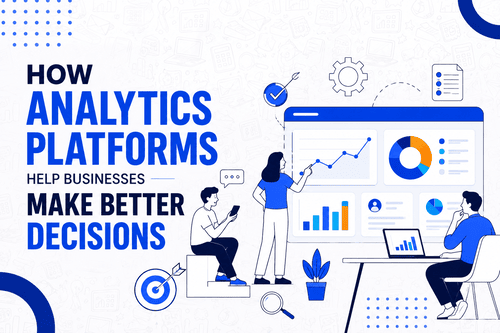
An analytics platform is software that collects, organizes, and analyzes data from your business so you can understand what’s actually happening and make better decisions based on it. Instead of guessing why sales dipped last month or which marketing channel actually works, you get real numbers to answer the question.
we’ll walk through what these platforms actually do, how they work, and what you need to know before using one.
What Does an Analytics Platform Actually Do?
At its core, an analytics platform pulls data from wherever it lives, your website, your sales system, your marketing tools, your app, and brings it into one place where you can actually make sense of it. From there, it processes that raw data into something readable: charts, dashboards, reports, and trends you can act on.
Without a platform like this, that same data usually sits scattered across a dozen different tools, most of it never getting looked at, let alone used to make a decision.
The Basic Building Blocks
Every analytics platform, regardless of size or industry focus, tends to share a few core pieces.
Data collection: Pulling in information from websites, apps, databases, and other tools, often automatically and continuously.
Data processing: Cleaning and organizing raw data so it’s actually usable, since raw data is often messy, duplicated, or inconsistent.
Storage: Keeping historical data available so you can look at trends over time, not just a single snapshot.
Visualization: Turning numbers into charts, graphs, and dashboards that are actually easy to read at a glance.
Reporting: Generating regular summaries, either automatically or on demand, so key numbers reach the people who need them.
Why Businesses Actually Use These Platforms
The honest answer is that most businesses generate far more data than any person could reasonably track manually. Every website visit, every purchase, every customer interaction leaves a data trail, and an analytics platform is what turns that trail into something useful instead of just noise.
Beyond just tracking numbers, these platforms help spot problems early, like a sudden drop in conversions, and opportunities, like a marketing channel quietly outperforming the rest. If you want a deeper look at how this plays out for specific business decisions, our post on how analytics platforms help businesses make better decisions covers that side in more detail.
Types of Data Analytics Platforms Cover
Analytics platforms generally fall into a few overlapping categories depending on what they’re built to analyze. Web and digital analytics tools track website traffic and user behavior. Marketing analytics platforms focus on campaign performance across channels. Business intelligence tools pull data from across an entire organization into unified dashboards. And more specialized platforms handle things like predictive analytics or customer data specifically.
If you’re trying to understand how these categories actually differ, our post on business intelligence vs analytics platforms breaks down where the lines actually sit.
Who Actually Uses Analytics Platforms
Marketing teams use them to track campaign performance and understand what’s actually driving results. Product teams use them to see how people use a product and where they drop off. Sales teams use them to spot trends in what’s converting and what isn’t. Executives use them for a higher-level view of overall business health. And smaller businesses increasingly use simplified versions of the same tools to understand customer behavior without needing a dedicated analytics team.
Common Features to Know
Most platforms include some combination of real-time dashboards, custom report building, data segmentation, so you can break numbers down by specific groups, automated alerts for unusual changes in key metrics, and integrations with other business tools so data flows in without manual entry. If you want to see how specific tools stack up on these features, our roundup of the best data analytics software and best digital analytics tools cover a wide range of real options.
Getting Started with an Analytics Platform
If you’re new to this, it helps to start with a clear question rather than just turning on every feature at once. What do you actually want to know? Which customers are most valuable, which marketing channel performs best, where people abandon a purchase. Starting from a specific question makes the platform immediately useful instead of overwhelming.
It’s also worth building basic familiarity with the terminology before diving in, since analytics tools come with their own vocabulary that can be confusing at first. Our post on common analytics terms every beginner should know is a good place to get oriented before exploring a specific platform, and our guide on essential data analytics skills you need to master is useful if you want to build real proficiency over time.
A Word on Choosing the Right One
Not every analytics platform fits every business. Some are built for deep technical analysis, others for quick, simple dashboards non-technical teams can use immediately. Picking the wrong one for your team’s actual skill level and needs is a common early mistake. Our guide on how to choose the right analytics platform for your business walks through exactly what to consider before committing to one.
FAQs About Analytics Platforms
What is an analytics platform in simple terms?
It’s software that collects data from your business and turns it into readable charts, dashboards, and reports so you can understand what’s happening and make informed decisions.
Do small businesses need an analytics platform?
Many benefit from at least a basic one, since even small businesses generate customer and sales data that’s hard to track manually once it grows past a certain point.
What’s the difference between an analytics platform and business intelligence software?
The terms overlap a lot, though BI tools generally pull data from across an entire organization, while analytics platforms can be more focused on a specific area like web traffic or marketing performance.
Do I need technical skills to use an analytics platform?
It depends on the platform. Many modern tools are built with non-technical users in mind, offering simple dashboards, while others require more data or coding knowledge for deeper analysis.
What kind of data can an analytics platform track?
Website traffic, app usage, sales figures, marketing campaign performance, and customer behavior are all common examples, depending on which platform and data sources you connect.
How do I know which analytics platform is right for my business?
Start with what you actually need to measure and how technical your team is, since the right fit depends more on your specific goals than on picking the most feature-heavy option available.