Contents
- 1 Introduction
- 2 What is a SaaS video editing tool
- 3 Why SaaS video tools are replacing traditional editors
- 4 Who should use SaaS video editing tools
- 5 Comparison Table: Best SaaS Video Editing Tools
- 6 1. Canva
- 7 2. Descript
- 8 3. Kapwing
- 9 4. InVideo
- 10 5. VEED
- 11 6. Lumen5
- 12 7. Pictory
- 13 8. DaVinci Resolve
- 14 9. Adobe Premiere Pro
- 15 10. Final Cut Pro
- 16 Key Takeaways
- 17 FAQs
The best SaaS tools for video editing and content creation are online platforms that help you edit videos faster without installing heavy software. They are used for social media videos, YouTube content, podcasts, ads, and blog based videos.
These tools work in the browser, support collaboration, and reduce editing time.
Introduction
video content decides what people watch and share. most creators know this. the hard part is editing.
traditional software takes time to learn and needs strong hardware. many creators never publish because editing feels heavy.
saas video tools remove that problem. they are simple, browser based, and built for speed. you focus on content, not software.
this guide lists the best saas tools for video editing and content creation so you can choose one and start publishing.
What is a SaaS video editing tool
A SaaS video editing tool is an online video editor that runs in a web browser and stores files in the cloud.
Key characteristics
- No installation required
- Works on low end devices
- Automatic updates
- Accessible from any location
Why SaaS video tools are replacing traditional editors
SaaS video tools are faster, easier to use, and better suited for frequent content publishing.
Main reasons
- Short learning curve
- Faster export workflows
- Built for social platforms
- Easier team collaboration
- Lower upfront cost
Who should use SaaS video editing tools
SaaS video tools are best for creators who publish often and value speed over advanced effects.
Ideal users
- YouTubers
- Bloggers
- Podcasters
- Course creators
- Social media managers
- Small business owners
Not ideal for
- Feature film production
- Advanced visual effects
- Offline only workflows
Comparison Table: Best SaaS Video Editing Tools
| Tool | Primary Use | Editing Style | Skill Level | Free Plan |
|---|---|---|---|---|
| Canva | Social media videos | Template based | Beginner | Yes |
| Descript | Podcasts and tutorials | Text based | Beginner | Yes |
| Kapwing | Team content | Timeline editor | Beginner | Yes |
| InVideo | Marketing videos | Template driven | Beginner | Yes |
| VEED | Quick online edits | Timeline editor | Beginner | Yes |
| Lumen5 | Blog to video | AI assisted | Beginner | Limited |
| Pictory | Long to short videos | AI automated | Beginner | No |
| DaVinci Resolve | Professional editing | Full timeline | Advanced | Yes |
| Adobe Premiere Pro | Industry workflows | Full timeline | Advanced | No |
| Final Cut Pro | Mac creators | Full timeline | Advanced | No |
1. Canva

Canva is the easiest SaaS tool for creating short social media videos.
What Canva is best at
Canva focuses on templates and speed. users select a format, add text and media, and export within minutes.
Core features
- Drag and drop video editor
- Pre sized templates for platforms
- Stock videos and music
- Auto resize for multiple formats
- Team collaboration
Best use cases
- Instagram reels and stories
- YouTube shorts
- Promotional videos
- Simple explainer videos
Limitations
- Limited timeline control
- Not suitable for complex edits
2. Descript
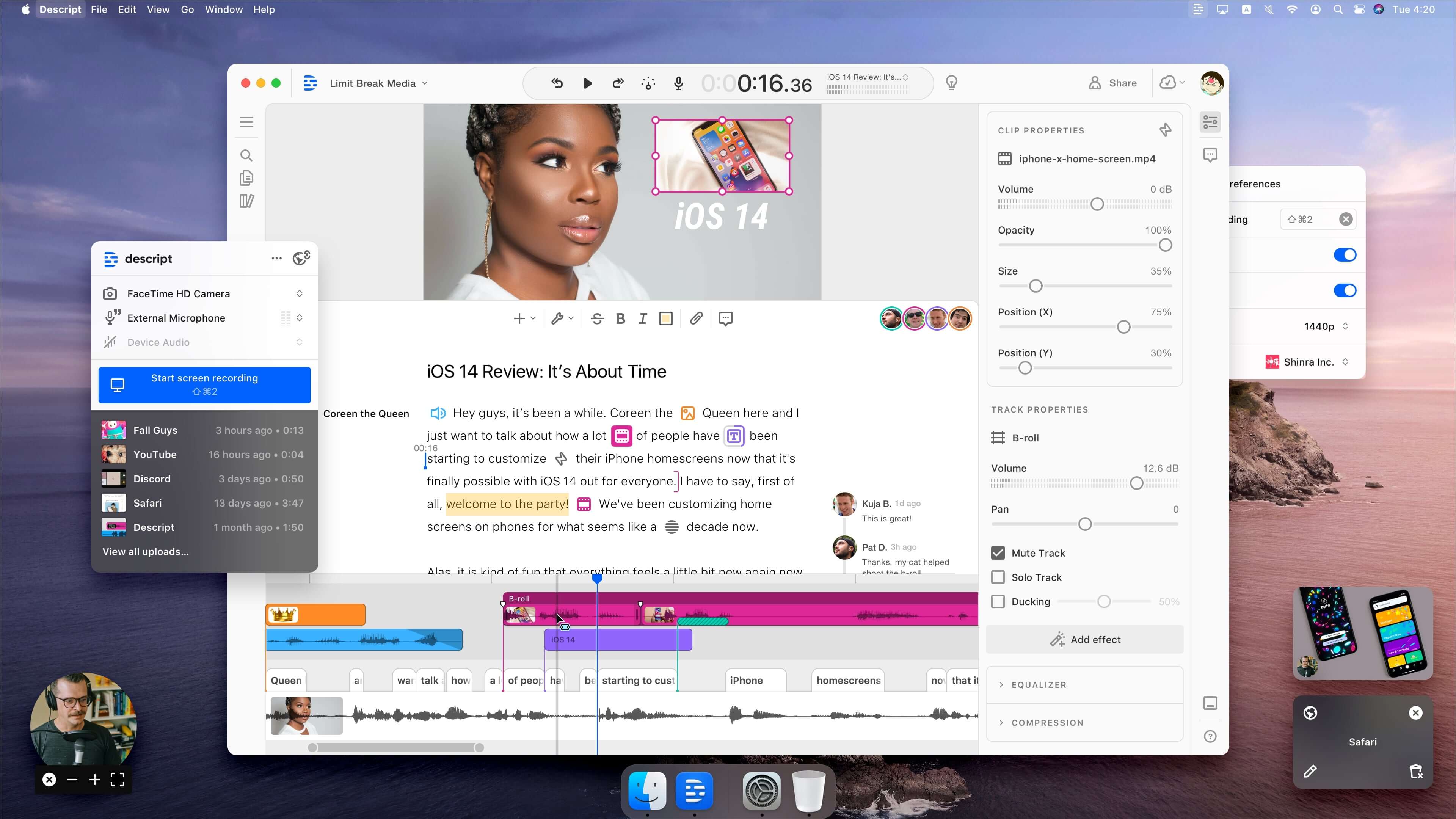
Descript edits video by editing text.
How Descript works
Descript transcribes video and audio. editing the transcript edits the media automatically.
Core features
- Text based video editing
- Automatic transcription
- Remove filler words
- Screen and webcam recording
- Multi track audio editing
Best use cases
- Podcasts
- Talking head videos
- Interviews
- Tutorials
Limitations
- Limited visual effects
- Not designed for cinematic editing
3. Kapwing
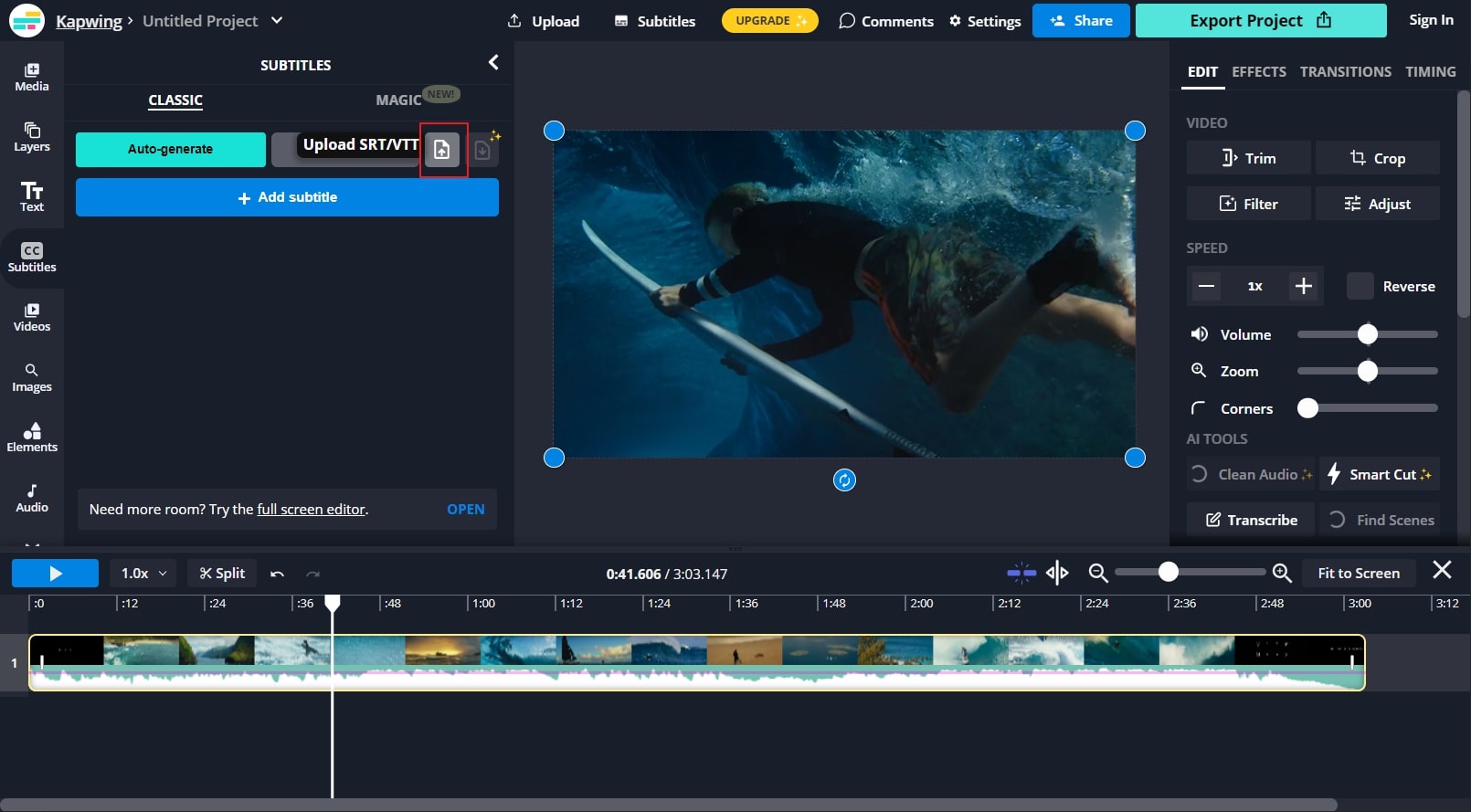
Kapwing is a browser based video editor built for teams.
Key strengths
- Online timeline editor
- Automatic subtitles
- Video resizing for platforms
- Team collaboration features
Best use cases
- Social media teams
- Agencies
- Content repurposing
- Meme and short video creation
4. InVideo
InVideo is designed for creating marketing and promotional videos quickly.
Core features
- Script to video workflow
- Pre built marketing templates
- Stock footage library
- Text animation tools
Best use cases
- Ads
- Brand videos
- Product explainers
Limitations
- Less flexible manual editing
5. VEED
VEED is a simple online editor for quick video edits.
Key features
- Trim and cut tools
- Auto subtitles and captions
- Screen and webcam recording
- Audio cleanup
Best use cases
- Captioned videos
- Course content
- Quick social clips
6. Lumen5

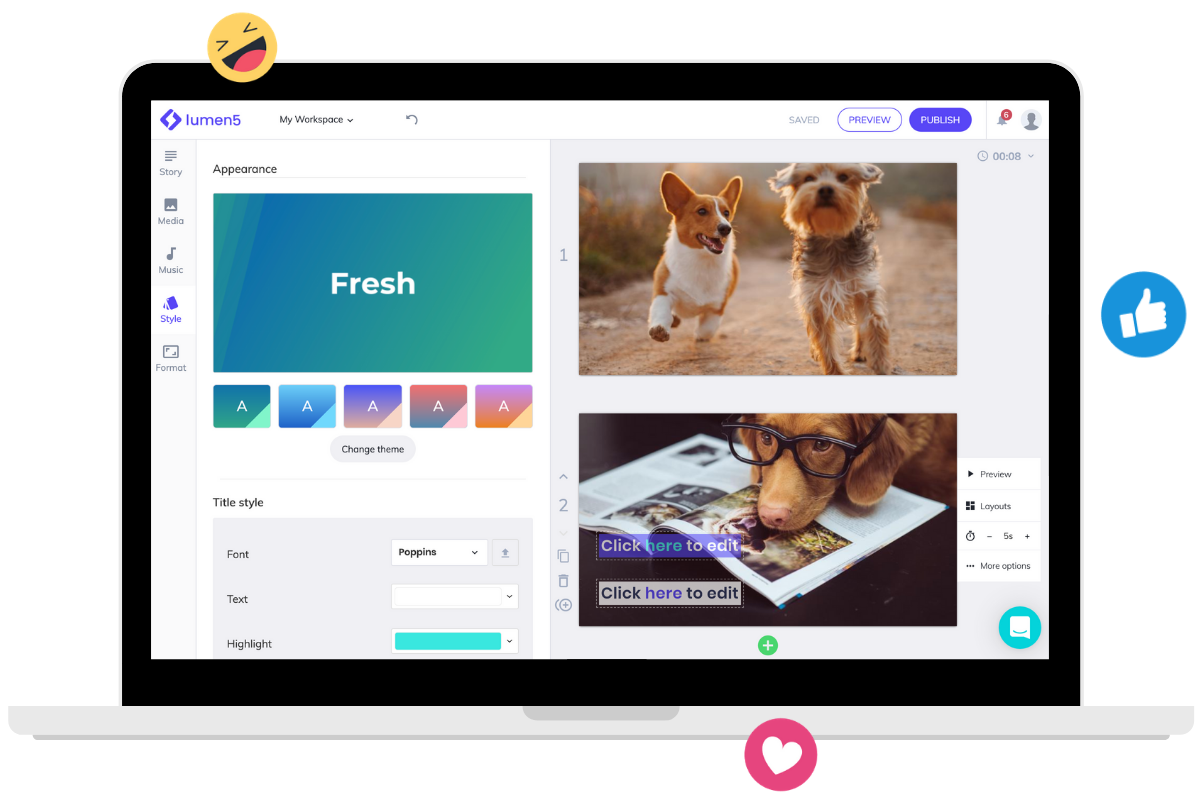
Lumen5 converts written content into videos using AI.
How it works
Users paste text or a blog link. Lumen5 automatically creates scenes using visuals and text highlights.
Best use cases
- Blog to video conversion
- LinkedIn content
- Content repurposing
Limitations
- Limited creative control
7. Pictory
Pictory uses AI to summarize long content into short videos.
Best use cases
- Long videos into shorts
- Text to video
- Faceless content channels
Strength
- Reduces editing time significantly
Weakness
- Limited customization
8. DaVinci Resolve
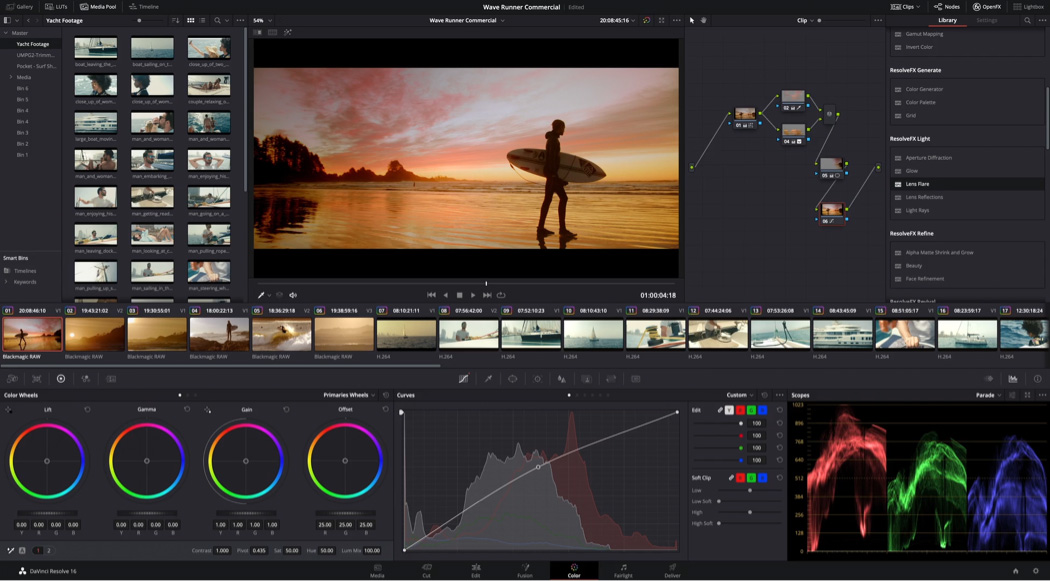
DaVinci Resolve is a professional video editor with a free version.
Why it is used
- Advanced color grading
- Full timeline editing
- Audio and effects tools
Best for
- Advanced creators
- Filmmakers
- Agencies
Learning curve
High
9. Adobe Premiere Pro
Adobe Premiere Pro is an industry standard video editor.
Best use cases
- Professional YouTube channels
- Commercial video work
- Agencies
Drawbacks
- Subscription pricing
- High system requirements
10. Final Cut Pro
Final Cut Pro is a professional video editor for macOS users.
Pros
- Fast performance
- One time payment
- Optimized for Apple hardware
Cons
- macOS only
Key Takeaways
- SaaS video tools focus on speed and accessibility
- Canva and VEED are best for beginners
- Descript is ideal for podcasts and tutorials
- Kapwing suits teams and social media workflows
- Lumen5 and Pictory support content repurposing
- DaVinci Resolve and Premiere Pro are for advanced users
FAQs
What is the best SaaS video editing tool
The best tool depends on use case. Canva is best for social videos. Descript is best for podcasts. DaVinci Resolve suits professionals.
Are SaaS video editors free
Many offer free plans with limitations. advanced features usually require paid plans.
Can SaaS video tools be used for YouTube
Yes. most support YouTube formats, captions, and exports.
Do SaaS video editors need high end computers
No. most work well on standard devices since processing is cloud based.