Nobody remembers what got decided in a meeting three days later. The action items get lost, the notes live in someone’s random notebook, and half the team shows up to the next call asking what happened last time. That’s a meeting management problem, not a memory problem.
Meeting management software handles the parts of meetings that tend to fall apart: agendas, notes, transcription, action items, and scheduling. Some tools focus purely on AI note taking. Others handle scheduling, agendas, and follow ups end to end.
We tested 30 meeting management platforms below, from AI powered note takers to full scheduling and agenda tools. Some are free for individuals. Others charge per user per month based on transcription volume or team size.
Check the comparison table for a fast pick, or read through the full reviews to find the tool that fits how your team actually runs meetings. Stop losing track of what got decided and who owns what next. Pick a meeting management tool and start walking out of meetings with clear next steps today.
What Is Meeting Management Software?
Meeting management software helps teams plan, run, and follow up on meetings, covering things like agendas, scheduling, note taking, and action item tracking. It replaces scattered notebooks, forgotten follow ups, and unclear ownership with a structured, searchable record of what happened.
Many modern platforms now use AI to automatically transcribe meetings, summarize key points, and even assign action items without anyone manually typing notes.
What Are the Common Features of Meeting Management Software?
- Automatic transcription for capturing exactly what was said during a meeting
- AI generated summaries for turning long discussions into short, readable recaps
- Action item tracking for assigning and following up on tasks that come out of meetings
- Agenda templates for keeping meetings structured and on topic
- Scheduling tools for finding times that work across calendars
- Searchable meeting history for finding past discussions and decisions quickly
- Integration with calendars and video platforms for fitting into existing workflows
What Are the Benefits of Meeting Management Software?
- Less time spent on manual note taking by automating transcription and summaries
- Clearer accountability through tracked, assigned action items
- Fewer redundant meetings by making past discussions easy to search and reference
- Better meeting discipline through structured agendas that keep discussions focused
- Reduced scheduling friction by automating the back and forth of finding meeting times
- Improved async communication by letting people catch up on meetings they missed
Who Uses Meeting Management Software?
- Executives and managers running frequent one on ones and team meetings
- Sales and customer success teams tracking client conversations and follow ups
- Product and engineering teams running standups, planning sessions, and retros
- Remote and hybrid teams needing clear async records of meetings
- Executive assistants coordinating scheduling across busy calendars
- HR and people teams documenting meetings that require formal records
How We Tested These Meeting Management Software
We looked at transcription accuracy, summary quality, ease of use, integration options, and pricing transparency across free and paid tiers. We also weighed how well each platform handles action item tracking and follow up automatically.
We tested for:
- Accuracy of automatic transcription across accents and audio quality
- Quality and usefulness of AI generated summaries
- Reliability of action item detection and tracking
- Ease of scheduling and calendar integration
- Searchability of past meeting records
- Pricing clarity across different usage levels
Quick Comparison of Meeting Management Software
| Software | Best For | Starting Price |
|---|---|---|
| Fellow | Structured agendas and one on one tracking | Free, paid from $7/user/month |
| Hugo | Centralized meeting notes across tools | Free, paid from $10/user/month |
| Otter.ai | Accurate, real time meeting transcription | Free, paid from $10/user/month |
| Fireflies.ai | AI note taking across multiple video platforms | Free, paid from $10/user/month |
| Grain | Sales focused meeting recording and clips | Free, paid from $15/user/month |
| Avoma | Combined meeting intelligence and conversation analytics | $19/user/month |
| tl;dv | Free meeting recording and highlight reels | Free, paid from $18/user/month |
| Supernormal | Simple, automated meeting notes | Free, paid from $18/user/month |
| Sembly AI | Detailed meeting minutes and task extraction | Free, paid from $10/user/month |
| Read AI | Meeting analytics with engagement scoring | Free, paid from $19.75/user/month |
| Nyota | AI meeting assistant with smart agendas | Free, paid from $19/user/month |
| Airgram | Meeting recording with collaborative notes | Free, paid from $19.99/user/month |
| Range | Async check ins paired with meeting management | Custom pricing |
| Calendly | Simple, automated meeting scheduling | Free, paid from $10/user/month |
| Doodle | Group scheduling and polling for meeting times | Free, paid from $6.95/user/month |
| Google Calendar | Free scheduling for Google Workspace users | Free |
| Microsoft Outlook | Scheduling within the Microsoft ecosystem | Free, paid from $4/user/month |
| Meetgeek | Automated meeting summaries and analytics | Free, paid from $19/user/month |
| Fathom | Free AI note taker with instant highlights | Free, paid from $19/user/month |
| Circleback | Automatic action items from every meeting | $18/month |
| Notiv | Meeting intelligence for compliance heavy teams | Custom pricing |
| Reclaim.ai | Smart calendar scheduling and time blocking | Free, paid from $8/user/month |
| Clockwise | AI powered calendar optimization | Free, paid from $6.75/user/month |
| SavvyCal | Flexible, personalized scheduling links | $12/month |
| Chili Piper | Meeting scheduling built for sales teams | Custom pricing |
| Motion | AI calendar and task management combined | $34/month |
| Rock | Combined task and meeting management for small teams | Free, paid from $12/user/month |
| When2meet | Free, simple group scheduling polls | Free |
| Vowel | Meeting platform with built in transcription and notes | Free, paid from $15/user/month |
| Sana | AI powered meeting assistant within a broader workspace | Custom pricing |
30 Best Meeting Management Software (Detailed Reviews)
1. Fellow
Fellow offers structured agendas and one on one tracking, giving managers and teams a shared space to build agendas, take notes, and track recurring one on one conversations over time. It’s a strong fit for managers wanting consistent, structured meeting habits.
- Key Features: collaborative agenda building, one on one meeting tracking, action item assignment and follow up
- Pros: strong structure for recurring meetings and one on ones
- Cons: less focused on automatic transcription than AI first competitors
2. Hugo
Hugo centralizes meeting notes across tools, pulling notes and agendas from different meeting platforms into one searchable, organized location. It’s a good fit for teams using multiple video platforms who want notes in one place.
- Key Features: centralized cross platform note storage, agenda templates, searchable meeting history
- Pros: strong for consolidating notes from multiple meeting tools
- Cons: fewer AI powered features than newer transcription focused tools
3. Otter.ai
Otter.ai delivers accurate, real time meeting transcription, remaining one of the most established and widely trusted tools for capturing exactly what was said during a call. It’s a strong fit for teams prioritizing transcription accuracy above all else.
- Key Features: real time accurate transcription, automated summary generation, searchable transcript archive
- Pros: strong transcription accuracy and wide platform adoption
- Cons: advanced features require a paid plan
4. Fireflies.ai
Fireflies.ai provides AI note taking across multiple video platforms, automatically joining and transcribing meetings across whichever video tool your team happens to use. It’s a strong fit for teams using a mix of different meeting platforms.
- Key Features: broad video platform compatibility, automatic action item detection, searchable meeting database
- Pros: strong flexibility working across many different video platforms
- Cons: summary quality can vary depending on audio clarity
5. Grain
Grain focuses on sales focused meeting recording and clips, letting sales teams pull key moments from calls into shareable clips for coaching and deal reviews. It’s a strong fit for sales teams wanting to share specific meeting moments easily.
- Key Features: shareable meeting clips, sales call analytics, CRM integration for call data
- Pros: strong for sales teams wanting to highlight and share specific moments
- Cons: less useful for teams outside of sales specific workflows
6. Avoma
Avoma combines meeting intelligence and conversation analytics, offering deeper analysis of meeting patterns and conversation trends beyond basic transcription. It’s a strong fit for revenue teams wanting deeper conversation insights.
- Key Features: conversation intelligence and analytics, automated meeting summaries, CRM and calendar integration
- Pros: strong analytical depth beyond basic note taking
- Cons: pricing is higher than simpler note taking tools
7. tl;dv
tl;dv offers free meeting recording and highlight reels, giving teams a generous free tier for recording, transcribing, and clipping key meeting moments. It’s a strong fit for teams wanting solid free functionality before committing to a paid plan.
- Key Features: generous free tier, meeting highlight reels, multi language transcription support
- Pros: strong free tier with real functionality
- Cons: some advanced features require upgrading to paid plans
8. Supernormal
Supernormal provides simple, automated meeting notes, focusing on ease of use and quick setup for teams who just want notes without a lot of configuration. It’s a good fit for teams wanting a low effort meeting notes solution.
- Key Features: simple, automatic note generation, customizable note templates, easy sharing and export
- Pros: approachable and quick to set up
- Cons: fewer advanced analytics than more feature heavy competitors
9. Sembly AI
Sembly AI delivers detailed meeting minutes and task extraction, generating thorough, structured meeting minutes along with automatically detected tasks and decisions. It’s a strong fit for teams needing detailed, formal meeting documentation.
- Key Features: detailed structured meeting minutes, automatic task and decision extraction, multi language support
- Pros: strong detail and structure in generated meeting records
- Cons: interface has a steeper learning curve than simpler tools
10. Read AI
Read AI offers meeting analytics with engagement scoring, going beyond notes to analyze participant engagement and sentiment throughout a meeting. It’s a strong fit for teams wanting insight into how engaged participants actually were.
- Key Features: participant engagement scoring, sentiment analysis during meetings, automated summary generation
- Pros: unique engagement analytics beyond standard note taking
- Cons: pricing is higher than basic transcription tools
11. Nyota
Nyota functions as an AI meeting assistant with smart agendas, automatically generating suggested agendas based on past meetings and known context. It’s a good fit for teams wanting AI assistance before a meeting starts, not just after.
- Key Features: AI generated smart agendas, automatic meeting summaries, action item tracking across meetings
- Pros: strong pre meeting preparation through AI generated agendas
- Cons: smaller user base than more established competitors
12. Airgram
Airgram combines meeting recording with collaborative notes, letting teams take shared notes in real time alongside automatic recording and transcription. It’s a good fit for teams wanting live collaborative note taking alongside automation.
- Key Features: real time collaborative note taking, automatic recording and transcription, meeting analytics dashboard
- Pros: strong combination of live collaboration and automation
- Cons: pricing isn’t public for larger teams
13. Range
Range pairs async check ins with meeting management, reducing the need for some meetings entirely through structured async status updates. It’s a strong fit for teams wanting to replace some meetings with async check ins.
- Key Features: async daily check ins, meeting agenda tools, team goal tracking
- Pros: strong for reducing unnecessary meetings through async updates
- Cons: pricing isn’t public
14. Calendly
Calendly offers simple, automated meeting scheduling, removing the back and forth of finding a meeting time by letting people book directly into available slots. It’s a strong fit for anyone tired of manual scheduling emails.
- Key Features: automated scheduling links, calendar integration across major platforms, customizable meeting types
- Pros: extremely popular and simple to set up
- Cons: advanced routing features require higher tier plans
15. Doodle
Doodle specializes in group scheduling and polling for meeting times, making it easy to find a time that works across many different people’s calendars. It’s a strong fit for scheduling meetings involving larger groups.
- Key Features: group scheduling polls, calendar integration, simple participant voting on times
- Pros: strong specifically for coordinating meetings across large groups
- Cons: less useful for simple one on one scheduling
16. Google Calendar
Google Calendar provides free scheduling for Google Workspace users, offering solid, familiar scheduling functionality built into the broader Google ecosystem. It’s a strong fit for organizations already using Google Workspace.
- Key Features: tight Google Workspace integration, free to use, simple meeting scheduling and reminders
- Pros: completely free and familiar to most users
- Cons: lacks dedicated meeting intelligence features found in specialized tools
17. Microsoft Outlook
Microsoft Outlook offers scheduling within the Microsoft ecosystem, providing reliable calendar and meeting scheduling tightly connected to Microsoft 365 tools. It’s a strong fit for organizations already using Microsoft products.
- Key Features: tight Microsoft 365 integration, scheduling assistant for finding open times, meeting reminders and notifications
- Pros: strong integration for organizations already using Microsoft tools
- Cons: lacks dedicated AI meeting intelligence features
18. Meetgeek
Meetgeek delivers automated meeting summaries and analytics, focusing on turning recorded meetings into structured summaries along with broader meeting pattern analytics. It’s a good fit for teams wanting summaries plus analytics over time.
- Key Features: automated meeting summaries, meeting pattern analytics, searchable recording library
- Pros: strong combination of summaries and longer term analytics
- Cons: pricing isn’t public for larger teams
19. Fathom
Fathom provides a free AI note taker with instant highlights, offering a genuinely free tool that captures notes and highlights during meetings without cost. It’s a strong fit for individuals and small teams wanting a free, capable option.
- Key Features: genuinely free core functionality, instant meeting highlights, CRM integration for sales teams
- Pros: strong free tier with real, useful functionality
- Cons: some advanced features require a paid plan
20. Circleback
Circleback focuses on automatic action items from every meeting, prioritizing clear, accurate extraction of tasks and owners from meeting conversations. It’s a strong fit for teams that struggle with action items falling through the cracks.
- Key Features: automatic action item extraction, meeting summary generation, integration with task management tools
- Pros: strong focus on turning meetings into clear, trackable tasks
- Cons: smaller feature set outside of core action item tracking
21. Notiv
Notiv serves meeting intelligence for compliance heavy teams, built with an emphasis on accurate records suited to regulated industries with formal documentation needs. It’s a strong fit for compliance focused organizations.
- Key Features: compliance focused record keeping, accurate transcription and summaries, secure data handling
- Pros: strong fit for regulated industries needing formal meeting records
- Cons: pricing isn’t public
22. Reclaim.ai
Reclaim.ai offers smart calendar scheduling and time blocking, automatically protecting focus time and adjusting meetings around a person’s actual priorities. It’s a strong fit for individuals wanting a calendar that manages itself intelligently.
- Key Features: automatic time blocking for focus work, smart meeting rescheduling, habit and task scheduling
- Pros: strong automation for protecting focus time around meetings
- Cons: less useful for teams not focused on individual calendar optimization
23. Clockwise
Clockwise provides AI powered calendar optimization, rearranging meetings across a team to create more uninterrupted focus time automatically. It’s a good fit for teams wanting less fragmented, more efficient calendars.
- Key Features: automatic calendar optimization, team wide focus time protection, meeting scheduling automation
- Pros: strong for reducing calendar fragmentation across a team
- Cons: works best with heavy Google Calendar usage
24. SavvyCal
SavvyCal offers flexible, personalized scheduling links, letting people customize scheduling pages more deeply than typical booking link tools. It’s a good fit for individuals wanting more control over how their scheduling links look and work.
- Key Features: highly customizable scheduling pages, overlay feature for comparing calendars, simple booking link creation
- Pros: strong flexibility and personalization compared to basic scheduling tools
- Cons: smaller user base than more established scheduling platforms
25. Chili Piper
Chili Piper specializes in meeting scheduling built for sales teams, routing and scheduling meetings automatically based on lead qualification and rep availability. It’s a strong fit for sales teams needing automated meeting routing.
- Key Features: automated lead routing and scheduling, real time calendar availability checks, integration with sales CRM tools
- Pros: strong specialization for sales team scheduling workflows
- Cons: less useful for general, non sales scheduling needs
26. Motion
Motion combines an AI calendar with task management, automatically scheduling both meetings and tasks together based on priority and availability. It’s a strong fit for individuals wanting meetings and tasks managed in one automated system.
- Key Features: combined AI calendar and task scheduling, automatic rescheduling around priorities, project and task tracking
- Pros: strong automation combining meetings and task management
- Cons: pricing is higher than simpler scheduling only tools
27. Rock
Rock offers combined task and meeting management for small teams, bundling meeting notes and task tracking together in one lightweight workspace. It’s a good fit for small teams wanting meetings and tasks connected without extra tools.
- Key Features: combined meeting and task management, simple agenda templates, team chat integration
- Pros: strong value combining meetings and tasks for small teams
- Cons: fewer advanced features than dedicated enterprise tools
28. When2meet
When2meet provides free, simple group scheduling polls, offering a no frills way to find a meeting time across a group without requiring any account setup. It’s a strong fit for informal, one off group scheduling needs.
- Key Features: completely free to use, no account required for participants, simple visual availability grid
- Pros: extremely simple and completely free
- Cons: lacks any of the meeting notes or intelligence features found in other tools
29. Vowel
Vowel combines a meeting platform with built in transcription and notes, functioning as both the video meeting tool itself and the note taking layer on top of it. It’s a strong fit for teams wanting one platform instead of separate video and notes tools.
- Key Features: built in video meetings with transcription, searchable meeting library, AI generated summaries
- Pros: strong all in one approach combining meetings and notes
- Cons: requires switching video platforms if your team uses something else
30. Sana
Sana offers an AI powered meeting assistant within a broader workspace, connecting meeting notes and summaries to a larger knowledge and learning platform. It’s a good fit for organizations wanting meetings connected to broader company knowledge.
- Key Features: AI meeting assistant integrated with broader workspace, automatic meeting summaries, connected knowledge base features
- Pros: strong for organizations wanting meetings tied into a larger knowledge system
- Cons: pricing isn’t public
What Are the Alternatives to Meeting Management Software?
- Manual note taking for very small teams with minimal meeting volume
- Shared documents alone for simple, low structure meeting notes
- Email follow ups for capturing action items without dedicated tooling
- Fewer meetings overall by replacing some meetings with async written updates
Software Related to Meeting Management Software
- Video conferencing software for the actual meeting platform meeting management tools often integrate with
- Project management software for tracking action items and tasks that come out of meetings
- Team collaboration software for broader team communication beyond scheduled meetings
- Calendar scheduling software for coordinating meeting times across teams
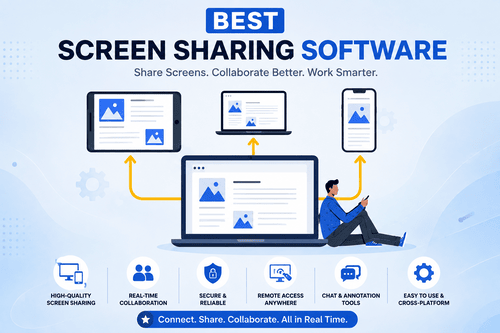
- Screen sharing software for the visual collaboration that often happens during meetings
Challenges With Meeting Management Software
- Transcription accuracy issues. Background noise, accents, and overlapping speech can reduce transcription quality.
- Tool fatigue. Adding another tool on top of an already crowded meeting tech stack can feel like more overhead, not less.
- Privacy concerns. Recording and transcribing meetings raises legitimate questions about consent and data handling.
- Over reliance on automation. Automatically generated action items sometimes need manual review to catch errors.
- Integration gaps. Not every meeting tool connects cleanly with every calendar or video platform a team uses.
Which Companies Should Buy Meeting Management Software
- Remote and hybrid organizations needing clear async meeting records
- Sales teams tracking client conversations and follow ups closely
- Growing companies whose meeting volume has outpaced manual note taking
- Executive teams needing consistent, structured one on ones and leadership meetings
- Compliance heavy industries needing accurate, retained meeting documentation
- Distributed teams across time zones needing to catch up on missed meetings easily
How to Choose the Best Meeting Management Software
- Match the tool to your primary need. Sales teams benefit from tools like Grain or Chili Piper, while managers may prefer Fellow for structured one on ones.
- Consider your existing video platform. Fireflies.ai and Otter.ai work broadly across multiple platforms, while Vowel combines video and notes into one.
- Think about scheduling versus note taking needs. Calendly and Doodle solve scheduling, while Fathom and Circleback solve note taking and action items.
- Check your budget. Fathom and tl;dv offer strong free tiers for individuals and small teams.
- Factor in compliance requirements. Notiv is built specifically for regulated industries needing formal meeting records.
- Look at calendar optimization needs. Reclaim.ai and Clockwise stand out if fragmented calendars are a bigger problem than meeting notes.
Meeting Management Software Trends
- AI generated action items continue improving, reducing the manual work of turning discussions into trackable tasks.
- Meeting analytics are expanding beyond notes, adding engagement and sentiment scoring to understand meeting quality.
- Calendar optimization tools are gaining traction as teams push back against meeting heavy calendars.
- Async alternatives to meetings keep growing as teams look to replace some meetings with structured written updates.
- Unified meeting platforms are becoming more common, combining video, notes, and follow up in a single tool.
Common Meeting Management Software Problems (Fixes)
Problem: Action items get mentioned in meetings but never actually get done. Fix: use a tool with automatic action item extraction like Circleback, and connect it directly to your task management system.
Problem: Transcription quality is poor during noisy or overlapping conversations. Fix: encourage participants to use headsets and minimize background noise, and choose a platform known for strong transcription accuracy like Otter.ai.
Problem: Team members feel uncomfortable being recorded during meetings. Fix: be transparent about recording and its purpose, and choose a platform with clear consent and privacy controls.
Problem: Calendars are so packed with meetings there’s no time for focused work. Fix: use a calendar optimization tool like Clockwise or Reclaim.ai to automatically protect blocks of focus time.
Problem: Scheduling a meeting across multiple people’s calendars takes forever. Fix: switch to an automated scheduling tool like Calendly or Doodle instead of manual back and forth emails.
FAQs About Meeting Management Software
What is the best meeting management software overall?
Fellow is a strong overall choice for structured agendas and one on ones, while Otter.ai and Fireflies.ai stand out for AI powered transcription.
How much does meeting management software cost?
Prices range from free options like Fathom and When2meet, up to $30 or more per user per month for platforms with advanced analytics and automation.
What’s the difference between a note taking tool and a scheduling tool?
Note taking tools like Otter.ai focus on capturing and summarizing what happens during a meeting, while scheduling tools like Calendly focus on finding and booking meeting times.
Do small teams need dedicated meeting management software?
Yes, even small teams benefit from clear meeting records and automated scheduling, and free tools like Fathom or Google Calendar make it accessible without any budget.
Can meeting management software integrate with video conferencing tools?
Yes, most platforms like Fireflies.ai, Otter.ai, and Meetgeek integrate directly with major video conferencing tools to automatically join and transcribe meetings.
Is AI generated meeting transcription accurate?
Accuracy has improved significantly, though quality still depends on audio clarity, background noise, and how many people are speaking at once.